Choose Notion if each client or project record needs a working page for briefs, meeting notes, and decisions. Choose Airtable if several people need to maintain linked client data through forms, defined fields, and tailored editing interfaces. For a freelancer whose work already lives in Notion, I would start there. For a small agency building an operational client database, I would look at Airtable first.
Both can link clients to projects and summarize related information. The useful distinction is where the work happens: inside a document attached to a record, or through a set of records that drive the team's daily actions.
The client examples are hypothetical, and the U.S. prices are the rates each vendor listed on October 13, 2026. What decides the choice is how each tool handles client records, client access, and the roles you pay for, so that's what the sections below compare.
The quick choice for client work
| Your main requirement | Notion | Airtable |
|---|---|---|
| Keep briefs and decision history beside project details | My first choice: database items are pages you can write in. | Choose it if the structured record matters more; link to longer documents when needed. |
| Connect clients, projects, and follow-ups | Relations and rollups support this model. | Linked records and lookup fields support this model. |
| Give teammates a focused place to update records | Use database views within working pages. | My first choice when a dedicated editing interface is central. |
| Collect a new inquiry | Native forms connect questions to database properties. | Native forms collect responses into a table. |
| Give clients access to existing work | Review page sharing; granular database rules require Business or Enterprise. | Review interface-only access and base grants; separate interface sharing requires a paid workspace. |
| Move the system later | Export documents and CSV data; relations need rebuilding. | Export tables as CSV and save attachments separately; the base is not one export file. |
The table gives a starting recommendation. Permissions, required automation actions, and the number of billable collaborators can change it.
Compare the same client model
Consider a hypothetical studio that needs to track clients, their projects, and follow-ups. Start with three collections:
- Clients: client name, main contact, contact details, and internal owner.
- Projects: project name, related client, status, due date, and agreed fee.
- Activities: a call or follow-up, its date, the related client or project, and the next action.
A client can have several projects. An activity belongs to the relevant client or project. If a company has several contacts, add a separate Contacts collection rather than putting multiple people into one text field.
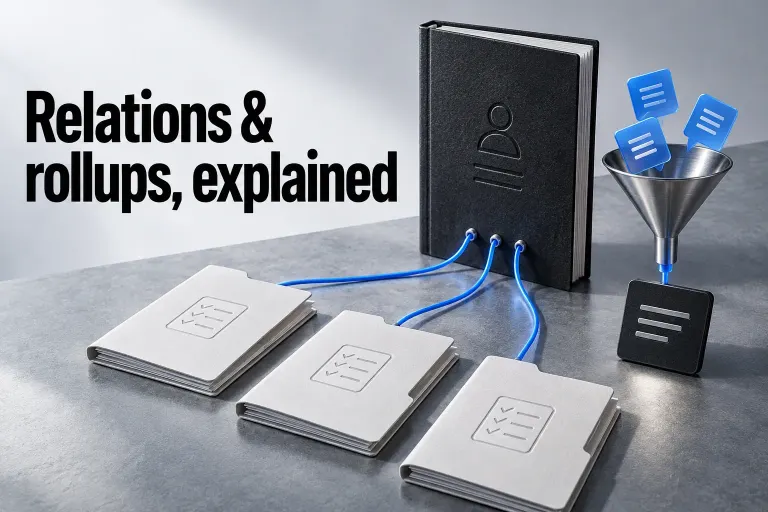
Notion's relations connect database pages, and rollups summarize properties from those related pages. A client can therefore link to its projects and show a sum of their agreed fees. Airtable's linked records connect tables and support lookup fields that display values from related records. Both can represent the relationships in this example.
I would reject a comparison that gives Airtable a carefully organized schema and gives Notion one overloaded table. Separate entities, choose consistent status values, and decide which fields need one relationship versus several before comparing the tools.
Nor does Notion require you to put fees into a text field. Its Number property supports currency formatting, alongside Date, Email, Phone, Relation, and Rollup properties. For this small database, the choice turns on the workflow around those fields.
Does a project need a document or an editing interface?
Choose Notion when you use a project record to write the brief, collect notes, and explain a changed decision. Each database item is a full page with space for content below its properties. Its database views organize pages as tables, boards, calendars, timelines, lists, galleries, and charts. You can scan a status board, then open the relevant page for the details behind the status.
That's a good fit for a consultant, designer, or writer whose client work generates a lot of written context. A status such as “Awaiting approval” means more when the page also says what needs approval and links to the deliverable.
Airtable's case is stronger when the team mostly updates fields: who owns the follow-up, when it is due, which project it belongs to, and whether it is finished. Views let you filter, group, sort, and arrange the same records. Interface Designer adds a tailored working surface over that data, with layouts for reviewing records, dashboards, and other focused tasks.
An account manager might need open follow-ups and editable status fields. A studio owner might need a project overview. Those are different working surfaces over the same information, which is why I would favor Airtable when the interface is a core requirement.
For either tool, define a few useful questions before designing a dashboard: Which projects are active? Which follow-ups are overdue? What is waiting on the client? A page with ten views is not automatically a clearer system.
Intake and follow-up need separate decisions
A new inquiry needs a submission form. An existing client who approves work needs access to an existing record. Keep those requirements separate when choosing a tool and a plan.
Notion forms are available on all plans and connect each question to a database property. They can collect information from people outside the workspace. Conditional logic requires Business or Enterprise, so a form that changes its questions based on a response can affect your plan choice.
Airtable's standalone form builder is also available on all plans, though some features are limited to paid plans. Conditional field visibility works on all plans; conditional groups need Business or Enterprise Scale. Share a standalone form publicly and people without Airtable accounts can submit it. A form inside an interface has different access requirements.
For intake, I'd collect the minimum needed to decide the next action: name, contact details, project type, timing, and a short description. Put submissions into an intake queue before you promote them to active clients. A submitted company name doesn't prove it matches an existing client record.
Automations deserve the same care. Notion's paid database automations support page-added, property-edited, and recurring triggers, with actions including property changes, page creation, notifications, Gmail email, and outbound webhooks.
Account for this Notion limitation: one database automation cannot trigger another. If your follow-up process depends on a chain of automated changes, map that chain before you commit. A button action can trigger a database automation, but Notion still doesn't support an automation-to-automation chain.
Airtable automations support a trigger and one or more actions, including conditional action paths and, on paid plans, a script action. Each workspace gets a monthly run allowance of 100 on Free, 25,000 on Team, and 100,000 on Business, and failed attempts count toward it too. On Free, the native Send email action can only send to base collaborators, so if your follow-ups email clients outside the base, that limit alone can decide the plan.
Compare the exact trigger and action you need rather than a generic claim that one product has “better automation.” A status-change notification and a branching follow-up process are different requirements. Keep an owner and a manual fallback for anything that sends messages to clients.
Client access can decide the comparison
A filtered view is not a privacy policy. Decide whether the client should submit an inquiry, read their project, comment on a deliverable, or edit a field. Then grant only the access needed for that task.
In Notion, guests are invited to specific pages and need their own Notion account to access them. Business and Enterprise also provide database page-level rules based on person or created-by properties. These rules can grant a person access to their assigned items, but they do not cancel broader access already granted elsewhere. Notion applies the broadest access a user has.
Current Notion documentation also describes property access on Business and Enterprise, including controls over whether someone can see a column and its values or edit them. This is different from merely hiding a column in a view. Full-access users remain unrestricted, and a property rule cannot grant access to a page the person cannot open.
For a client portal, I would review the page grants, database rules, and restricted properties together. Keep internal commercial notes out of a broadly shared page body: a column rule does not turn the rest of a project document into private content. The Notion client portal permissions guide covers that setup as a separate task.
Airtable allows interfaces to be shared separately from the underlying base on paid workspaces. That distinction matters: a client who works only through an interface and an internal teammate with base access have different roles. Do not compare a raw Airtable base shared with a client against a carefully restricted Notion portal, or the reverse.
For a standard shared interface, the client needs a verified Airtable account. You can configure a Current user filter to show records associated with that user. Review every shared interface and any base access separately, rather than assuming that one correctly configured page controls the rest.
For that private client-interface model, the documented Current user setup starts with a single-user User field in the source table, with Allow adding multiple users disabled. Add the intended client to that field on the records they should receive. Open Interfaces, select the relevant interface page, and click the canvas near its title to open the page properties. Under Data, open the cog beside Filter by, select + Add condition, and choose that User field with Is → Current user. Publish the interface change when its configuration is ready for users.
If the source User field allows multiple users, use Has any of → Current user for the corresponding membership check instead. Airtable exposes different operators for single-user and multi-user fields; do not copy Is from this example onto a field configured for several people.
This filter is page-specific: other pages in the interface do not inherit it automatically. Keep the person’s base grants and every other shared interface in the access review. If an example record is assigned to a user group that includes the client, the group can also make it match. A public interface is a separate sharing design; do not use this private invited-client example as its access model.

Airtable's field and table editing permissions are available on Team, Business, and Enterprise Scale, but they control editing, not who can see base data. A client who needs only a subset of records should not receive broad base access merely because sensitive fields are locked.
Airtable also warns that conditional field visibility in Record detail and Form layouts should not be used for sensitive fields: visually hidden values may still be exposed. Interface design and access control need separate review.
Before using real client data, check the chosen role with a separate client account. Review direct record links, other clients' records, related records, editable fields, and export options. An administrator's view cannot establish what the client is allowed to see.
What the required roles cost
All prices here are U.S. dollar rates listed on October 13, 2026. They're monthly equivalents with annual billing, not month-to-month subscription prices. Notion lists Plus at $10 and Business at $20 per member per month. Airtable lists Team at $20 and Business at $45 per user per month, billed annually.
| Plan | Monthly equivalent per paid seat | Three paid seats for a year |
|---|---|---|
| Notion Plus | $10 | $360 |
| Notion Business | $20 | $720 |
| Airtable Team | $20 | $720 |
| Airtable Business | $45 | $1,620 |
The example multiplies the published rate by three seats and twelve months. It excludes taxes and optional paid services. These plans are not feature equivalents: if Notion's granular database permissions are essential, compare Business against the Airtable plan and role configuration that meets the same requirement.
Notion bills paid workspaces per member; guests are invited to pages rather than the entire workspace. Check the invitation role before adding a client or contractor, particularly if your settings can turn an invitation into membership.
Airtable's read-only collaborators, form submissions, and share links do not carry seat charges on Team or Business. Its role-specific billing guidance makes the commenting distinction explicit: on self-serve Team, a client with Commenter or Editor access to a base or interface is billable. On self-serve Business, Editors are billable and Commenters are not. Include the client role when counting seats; sales-led contracts can have different terms.
Consider a more realistic role budget: three internal editors plus two clients who only need to comment. For a hypothetical Notion workspace with three paid members, the clients remain page guests; the annual membership calculation stays $360 on Plus or $720 on Business, provided that the chosen page-sharing model and plan limits meet the requirement. On self-serve Airtable Team, five billable people at $20 × 12 cost $1,200 annually. On self-serve Business, the three editors at $45 × 12 cost $1,620 because those two Commenters are not billable. If the clients become Editors, Business instead has five billable people and the example rises to $2,700.
These totals are role-based arithmetic from the documented self-serve collaborator billing rules and the annual rates above, not a quote for any particular account. A guest, an interface Commenter and an interface Editor aren't the same commitment, so decide what each client needs to do before you compare totals.

Also check record, attachment, and automation allowances against the planned workload. Airtable says record or attachment overages stop additional records or attachments until an upgrade, while automation and API usage is capped at the plan limit. A cheaper seat is not useful if the required workflow needs a different plan.
Plan the handoff and exit before importing everything
Both tools can give you an extract of the data. Neither CSV extract is a complete copy of the working system.
Notion's Markdown and CSV export includes CSV data for databases and Markdown files for pages. Its relation properties export as plain-text URLs, which cannot be reimported to recreate the relationships. Notion also states that uploading an exported workspace does not instantly recreate it.
Airtable's CSV export works per table view, includes visible field values, and has no single-file full-base export. Use an unfiltered view if you need all records. Record comments and field descriptions are not included. Save attachment files separately; attachment URLs in CSV exports expire after a few hours.
For a handoff, document what each collection means, how records link, which statuses are valid, who owns each automation, and which roles can access the data. For a move to another tool, add the fields, formulas, views, permissions, and page content that need rebuilding. Do this while the system is small.
Make the choice from one real requirement
I would choose Notion for a freelancer or a small team whose client work revolves around proposals, briefs, meeting notes, and project decisions. Relations and rollups can handle the client-project structure; the page model keeps the explanation beside the fields. If that fits, the client-and-project relations guide is the next step.
I would choose Airtable for a team that needs a shared operational record system with focused editing interfaces, structured intake, and explicit follow-up workflows. Its interface layer is a strong reason to choose it when teammates need different surfaces over the same data.
Using both can make sense when Airtable owns the client records and Notion owns the long-form project documentation. Give each important value one authoritative home. Copying status and dates into both tools creates a reconciliation job; an integration also needs an owner, a budget, and a response when synchronization fails.
Before paying annually, write down the five actions your team must perform, the client role you need, and one example record with its related project. Check those requirements against the chosen plan. If the deciding action is writing a brief inside the project, start with Notion. If it is giving several people a controlled place to maintain client records, start with Airtable.